Plugins for WordPress
ZIP File Installation Instructions
- Click to download the ZIP file phajay-payment-link.zip to your computer
- Login to your WordPress administrator account
- Go to the relevant menu:
- Plugins > Add New Plugin
- Click the Upload button
- Select the uploaded zip file
- Click the Install Now button
- Wait for the installation to complete
- Click Activate to start using the installed file
Example:
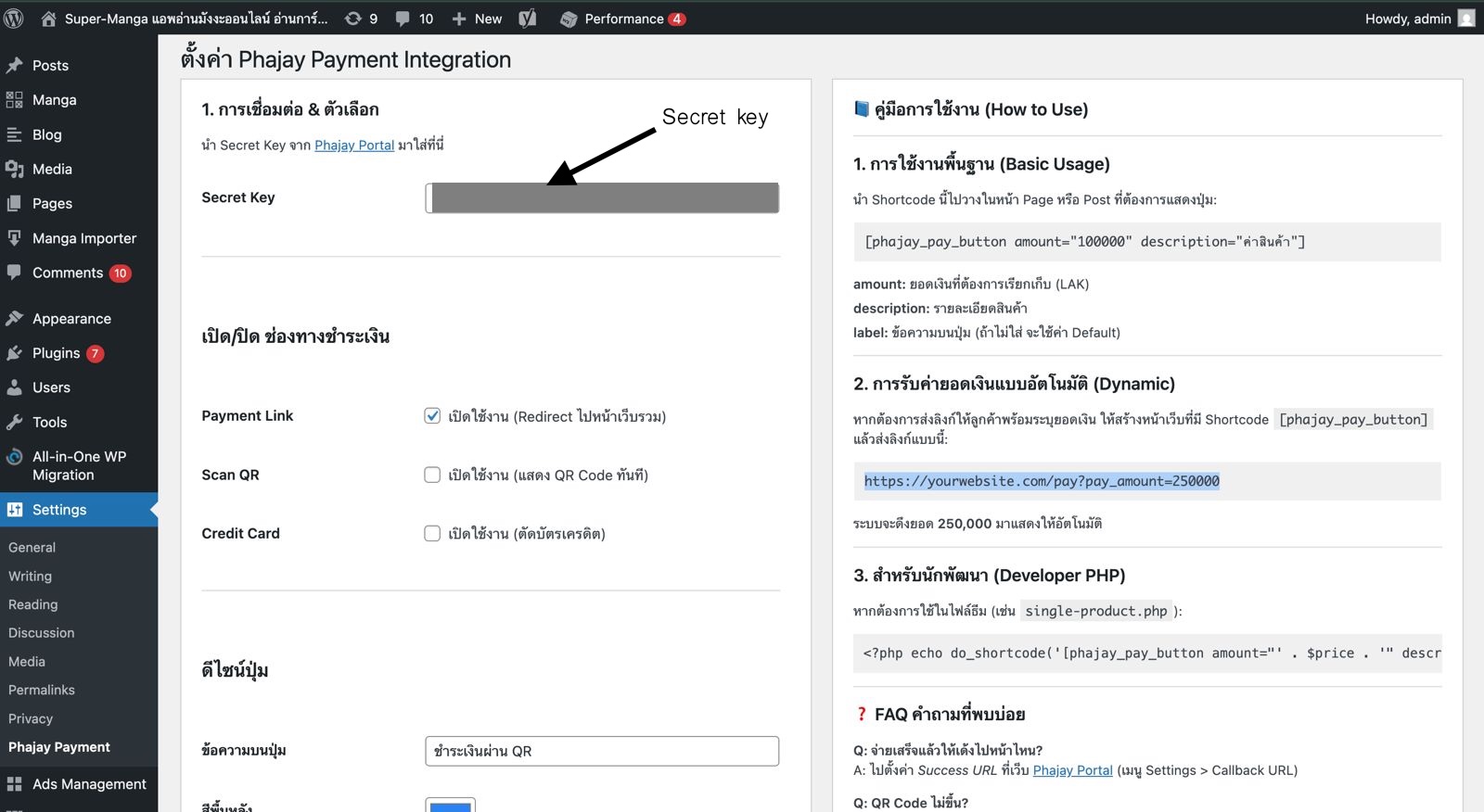
Note: After you download the ZIP file, you will find a README.txt file inside the folder. This file serves as a user guide for Phajay Payment Integration (All-in-One).
Last updated: 31 days ago