PhaJay Flutter SDK
The PhaJay Flutter SDK lets you create smooth and secure payment experiences inside native Android and iOS apps built with Flutter. It provides fully customizable UI screens and components to collect and process payment details through PhaJay's multi-bank and QR payment network.
It also supports real-time transaction updates and multi-platform compatibility, including Android, iOS, Web, macOS, Linux, and Windows.
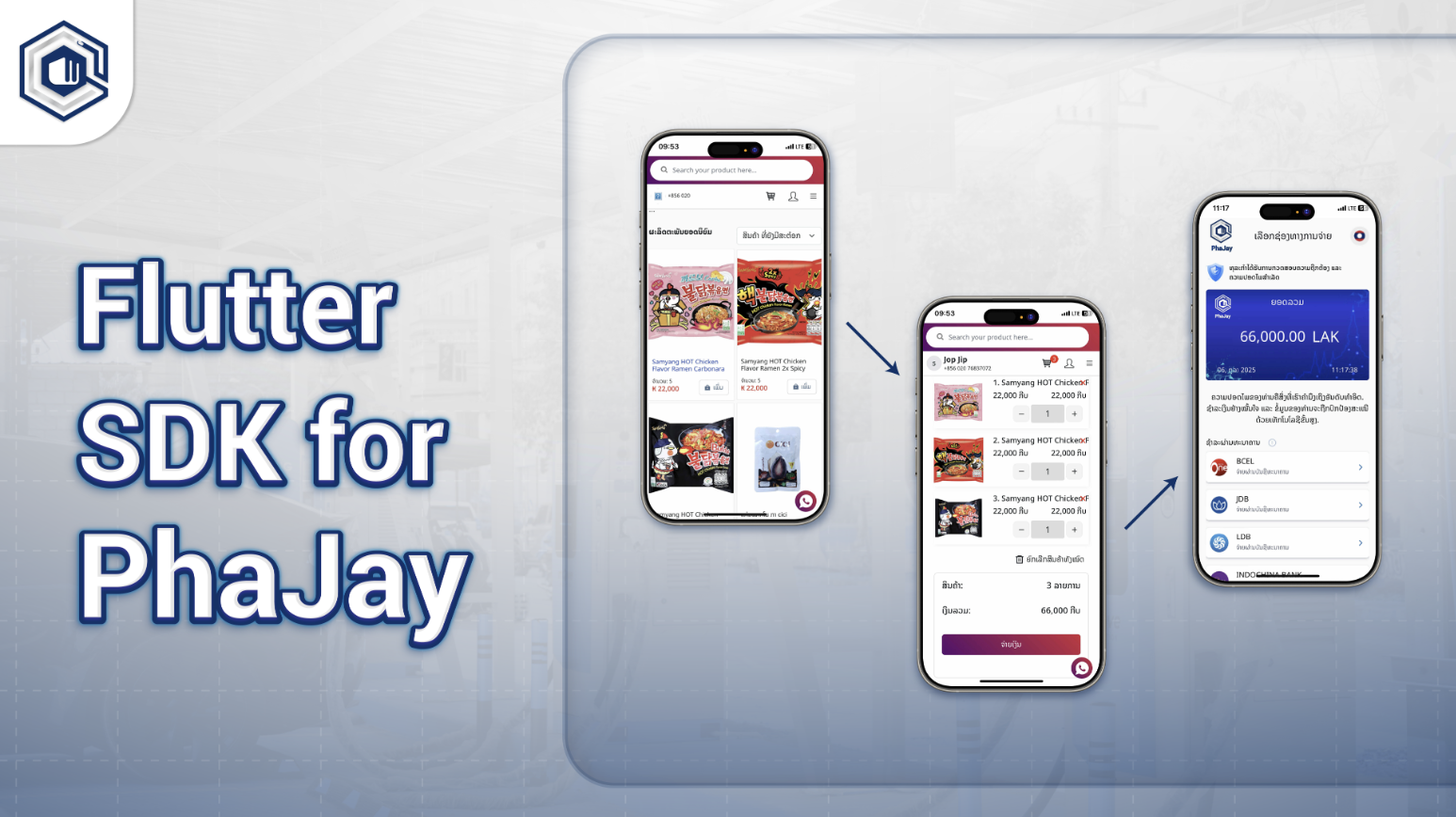
Features
- Open a payment link inside your app
- Easy integration with a single widget
- Real-time transaction updates
- Multi-platform support (Android, iOS, Web, macOS, Linux, Windows)
- Secure and reliable payment processing
- Fully customizable UI components
- Built-in Noto Sans Lao font support
- Consistent theming system across payment interfaces
Installation
Add this to your pubspec.yaml:
dependencies:
	flutter_phajay: ^0.0.17
google_fonts is automatically included as a dependency of flutter_phajay for Noto Sans Lao support, so you do not need to add it manually.
Then run:
flutter pub getPlatform Configuration
Android
1. Internet Permission (Required)
Add to android/app/src/main/AndroidManifest.xml:
<manifest xmlns:android="http://schemas.android.com/apk/res/android">
		<uses-permission android:name="android.permission.INTERNET" />

		<application>
				<!-- Your app configuration -->
		</application>
</manifest>
2. Deep Link Configuration (Required for Payment Callbacks)
Add the following intent filter inside your MainActivity in android/app/src/main/AndroidManifest.xml:
<activity
		android:name=".MainActivity"
		android:exported="true"
		android:launchMode="singleTop"
		android:theme="@style/LaunchTheme">

		<intent-filter>
				<action android:name="android.intent.action.MAIN"/>
				<category android:name="android.intent.category.LAUNCHER"/>
		</intent-filter>

		<intent-filter android:autoVerify="true">
				<action android:name="android.intent.action.VIEW" />
				<category android:name="android.intent.category.DEFAULT" />
				<category android:name="android.intent.category.BROWSABLE" />
				<data android:scheme="phajay" android:host="payment" />
		</intent-filter>
</activity>
3. Bank App Integration (Optional)
If you need to open specific banking apps, add queries in android/app/src/main/AndroidManifest.xml:
<manifest xmlns:android="http://schemas.android.com/apk/res/android">
		<queries>
				<package android:name="com.jdb.mobile.jdb" />
				<package android:name="com.bcel.one" />
		</queries>

		<application>
				<!-- Your app configuration -->
		</application>
</manifest>
iOS
1. Deep Link Configuration (Required for Payment Callbacks)
Add to ios/Runner/Info.plist:
<key>CFBundleURLTypes</key>
<array>
		<dict>
				<key>CFBundleURLName</key>
				<string>phajay.payment.callback</string>
				<key>CFBundleURLSchemes</key>
				<array>
						<string>phajay</string>
				</array>
		</dict>
</array>

<key>LSApplicationQueriesSchemes</key>
<array>
		<string>jdbbank</string>
		<string>onepay</string>
</array>
2. Network Security (iOS 9.0+)
If connecting to HTTP endpoints (development only), add:
<key>NSAppTransportSecurity</key>
<dict>
		<key>NSAllowsArbitraryLoads</key>
		<true/>
</dict>
For production, always use HTTPS and remove this setting.
Security Considerations
Production Deployment
- Use HTTPS endpoints only
- Store secret keys securely
- Validate all incoming deep link parameters
- Consider certificate pinning for additional hardening
Secret Key Management
// Do not hardcode secret keys in source code
PaymentLinkScreen(
	publicKey: "your-secret-key-here",
);

// Recommended: inject key from build/runtime config
PaymentLinkScreen(
	publicKey: const String.fromEnvironment('PHAJAY_SECRET_KEY'),
);
Usage
1. Import the Library
import 'package:flutter_phajay/flutter_phajay.dart';2. Optional: Apply Noto Sans Lao Theme
import 'package:flutter/material.dart';
import 'package:flutter_phajay/flutter_phajay.dart';

void main() {
	runApp(const MyApp());
}

class MyApp extends StatelessWidget {
	const MyApp({super.key});

	@override
	Widget build(BuildContext context) {
		return MaterialApp(
			title: 'My App',
			theme: PhajayTheme.lightTheme,
			home: const MyHomePage(),
		);
	}
}
3. Add PaymentLinkScreen
PaymentLinkScreen(
	amount: 100,
	description: "Test Payment",
	publicKey: r"{YOUR_SECRET_KEY}",
	onPaymentSuccess: () {
		print('Payment successful!');
	},
	onPaymentError: (String error) {
		print('Payment failed: $error');
	},
);
Configuration
Set Base URL
import 'package:flutter_phajay/flutter_phajay.dart';

void main() {
	// Default: https://payment-gateway.phajay.co
	PhajayConfig.setBaseUrl('https://staging-payment-gateway.phajay.co');
	runApp(const MyApp());
}

// Available:
// PhajayConfig.baseUrl
// PhajayConfig.setBaseUrl(url)
// PhajayConfig.resetToDefault()
// PhajayConfig.createPaymentLink
// PhajayConfig.creditCardPayment
// PhajayConfig.wechatAlipayPayment
// PhajayConfig.getTransaction
// PhajayConfig.getPaymentMethods
// PhajayConfig.uploadsPath
Theme Customization
Use Pre-built Theme
import 'package:flutter/material.dart';
import 'package:flutter_phajay/flutter_phajay.dart';

class MyApp extends StatelessWidget {
	const MyApp({super.key});

	@override
	Widget build(BuildContext context) {
		return MaterialApp(
			theme: PhajayTheme.lightTheme,
			home: const MyHomePage(),
		);
	}
}
Use Individual Text Styles
import 'package:flutter/material.dart';
import 'package:flutter_phajay/flutter_phajay.dart';

Text('Main Title', style: PhajayTheme.heading1);
Text('Section Header', style: PhajayTheme.heading2);
Text('Subsection', style: PhajayTheme.heading3);
Text('Body content', style: PhajayTheme.bodyText);
Text('Small text', style: PhajayTheme.bodyTextSmall);
Text('Caption', style: PhajayTheme.caption);

Text(
	'Custom',
	style: PhajayTheme.bodyText.copyWith(
		color: Colors.blue,
		fontWeight: FontWeight.bold,
	),
);

Text(
	'Custom Style',
	style: PhajayTheme.notoSansLao(
		fontSize: 20,
		fontWeight: FontWeight.w600,
		color: Colors.green,
	),
);
Theme highlights:
- Noto Sans Lao optimized rendering
- Consistent typography
- Responsive readability
- Extensible styles via
.copyWith()
Complete Example
import 'package:flutter/material.dart';
import 'package:flutter_phajay/flutter_phajay.dart';

void main() {
	runApp(const MyApp());
}

class MyApp extends StatelessWidget {
	const MyApp({super.key});

	@override
	Widget build(BuildContext context) {
		return MaterialApp(
			title: 'Flutter Phajay Example',
			theme: PhajayTheme.lightTheme,
			home: const PaymentExampleScreen(),
		);
	}
}

class PaymentExampleScreen extends StatelessWidget {
	const PaymentExampleScreen({super.key});

	@override
	Widget build(BuildContext context) {
		return Scaffold(
			appBar: AppBar(
				title: Text('Payment Example', style: PhajayTheme.heading2),
			),
			body: Center(
				child: Column(
					mainAxisAlignment: MainAxisAlignment.center,
					children: [
						Text('ຍິນດີຕ້ອນຮັບ', style: PhajayTheme.heading1),
						const SizedBox(height: 20),
						PaymentLinkScreen(
							amount: 100000,
							description: "ການທົດສອບການຈ່າຍເງິນ",
							publicKey: r"{YOUR_SECRET_KEY}",
							onPaymentSuccess: () {
								print('Payment successful!');
							},
							onPaymentError: (String error) {
								print('Payment failed: $error');
							},
						),
					],
				),
			),
		);
	}
}
Troubleshooting
1. Deep Link Not Working
- Android: verify intent filter in
MainActivity - iOS: verify
CFBundleURLSchemesinInfo.plist - Test command:
adb shell am start -W -a android.intent.action.VIEW -d "phajay://payment?status=success" com.yourapp.package2. Banking Apps Not Opening
- Android: add package queries in manifest
- iOS: add
LSApplicationQueriesSchemes - Confirm target app is installed
3. Payment Callbacks Not Received
- Verify
phajay://URL handling - Check
app_linkssetup - Ensure app is foreground when payment completes
4. Font Rendering Issues
- Apply
PhajayTheme.lightTheme - Verify connectivity for font download
Testing Deep Links
Android
# Success callback
adb shell am start -W -a android.intent.action.VIEW -d "phajay://payment?status=success&amount=100" com.yourapp.package

# Failure callback
adb shell am start -W -a android.intent.action.VIEW -d "phajay://payment?status=failed&error=timeout" com.yourapp.package
iOS
Use iOS Simulator Safari and open:
phajay://payment?status=success&amount=100Requirements
Minimum Versions
- Flutter 1.17.0+
- Dart SDK 3.9.0+
- Android API 21+
- iOS 12.0+
Bundled Dependencies
The package includes these dependencies automatically:
http: ^1.5.0qr_flutter: ^4.1.0socket_io_client: ^3.1.2url_launcher: ^6.3.0app_links: ^6.3.2flutter_inappwebview: ^6.0.0google_fonts: ^6.1.0lottie: ^3.3.2intl: ^0.20.2
Permissions Summary
Android
android.permission.INTERNETfor payment API calls- Deep-link intent filter for payment callbacks
- Optional package queries for banking apps
iOS
CFBundleURLSchemesfor payment callbacksLSApplicationQueriesSchemesfor banking app opening- Network access for payment API calls
Best Practices
Font Usage
// Recommended: consistent Lao typography
Text('ຍິນດີຕ້ອນຮັບ', style: PhajayTheme.heading1);

MaterialApp(
	theme: PhajayTheme.lightTheme,
	home: const MyHomePage(),
);

// Avoid manual Noto Sans Lao registration when using flutter_phajay
Environment Configuration
import 'package:flutter/foundation.dart';
import 'package:flutter_phajay/flutter_phajay.dart';

void main() {
	if (kDebugMode) {
		PhajayConfig.setBaseUrl('http://localhost:3000');
	} else {
		PhajayConfig.setBaseUrl('https://payment-gateway.phajay.co');
	}

	runApp(const MyApp());
}
Additional iOS Banking App Schemes
If needed, add more URL schemes under LSApplicationQueriesSchemes, for example:
ldbbankindochinabank
Notes
- Replace
{YOUR_SECRET_KEY}with your actual key from your PhaJay account - Ensure platform permissions and deep-link setup are correctly configured
- For Lao rendering quality, apply
PhajayTheme.lightTheme
Last updated: 6 months ago